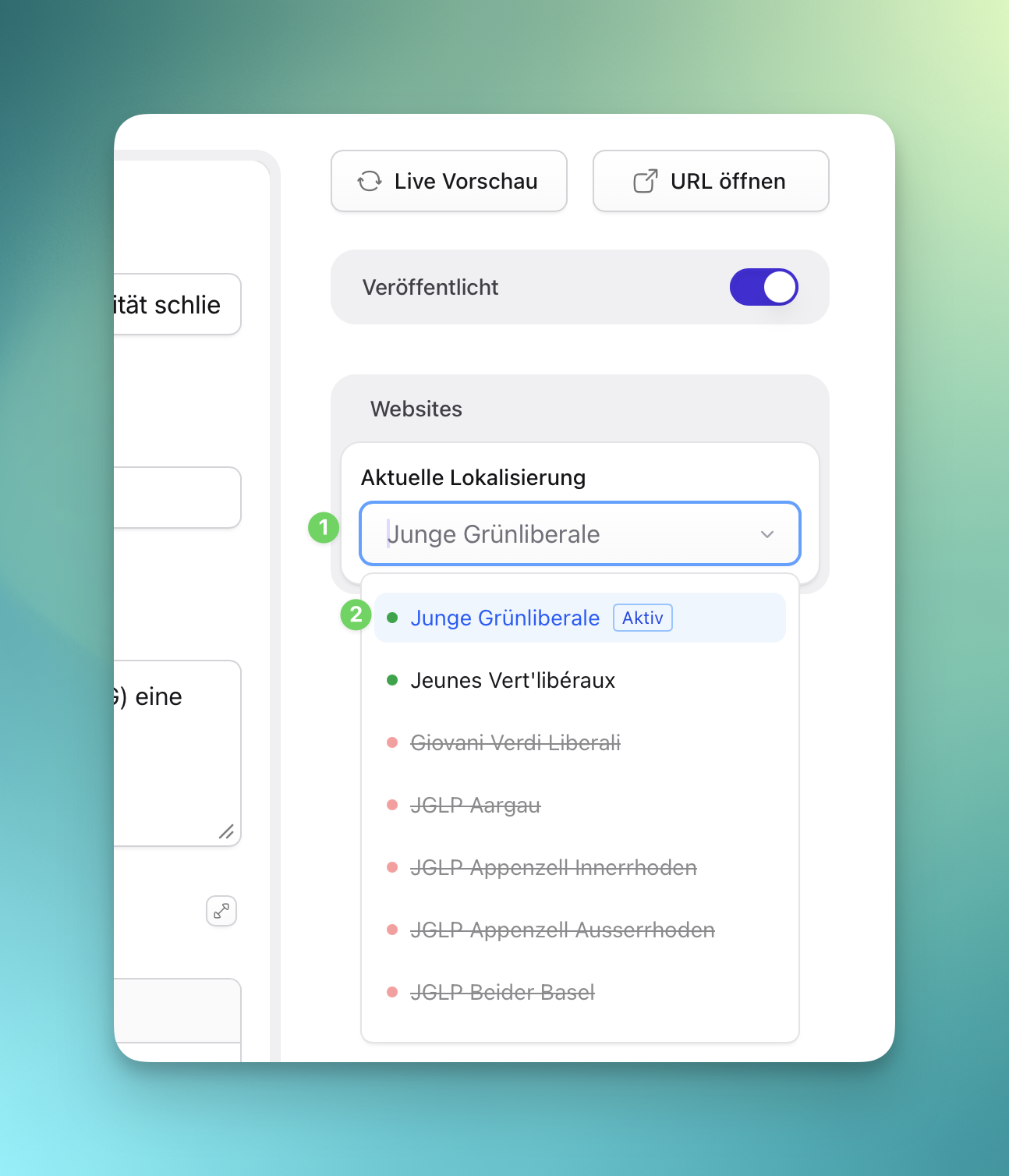
Translate Content
Most public content is localized by site. Some fields are translated per site, while others are shared across all localized versions.
Understand Localizable Fields
Section titled “Understand Localizable Fields”Localizable fields can have different values per site. Typical examples include titles, body text, leads, button labels, and slugs.
Non-localizable fields are shared. Typical examples include images, dates, category assignments, author links, and many settings.
Translate an Entry
Section titled “Translate an Entry”- Open the entry in its source site.
- Switch to the target site.
- Check which fields already have inherited content.
- Translate localizable fields.
- Check the slug for the target language.
- Save.
- Preview the target site before publishing.
For pages, translate the page title and every localizable field inside Sections. Shared image and layout settings usually do not need translation.
Check button URLs. Some links should point to translated local pages, while others intentionally point to the same external URL in every language.
Posts and Publications
Section titled “Posts and Publications”Translate title, lead, body text, attachments labels, and SEO fields. Keep dates, authors, categories, and uploaded files aligned unless the localized version needs a different public file.
Members
Section titled “Members”Member names and contact links are shared. Translate function, sub-lines, and bio text.
Slugs are part of the public URL. Use readable translated slugs, but avoid changing a slug after publication unless the technical editor confirms redirect handling.
Review Checklist
Section titled “Review Checklist”- The target site is selected.
- Localized fields are translated.
- Shared fields still make sense in the target language.
- Links point to the right language or intentional external URL.
- Preview shows the target-language page.